

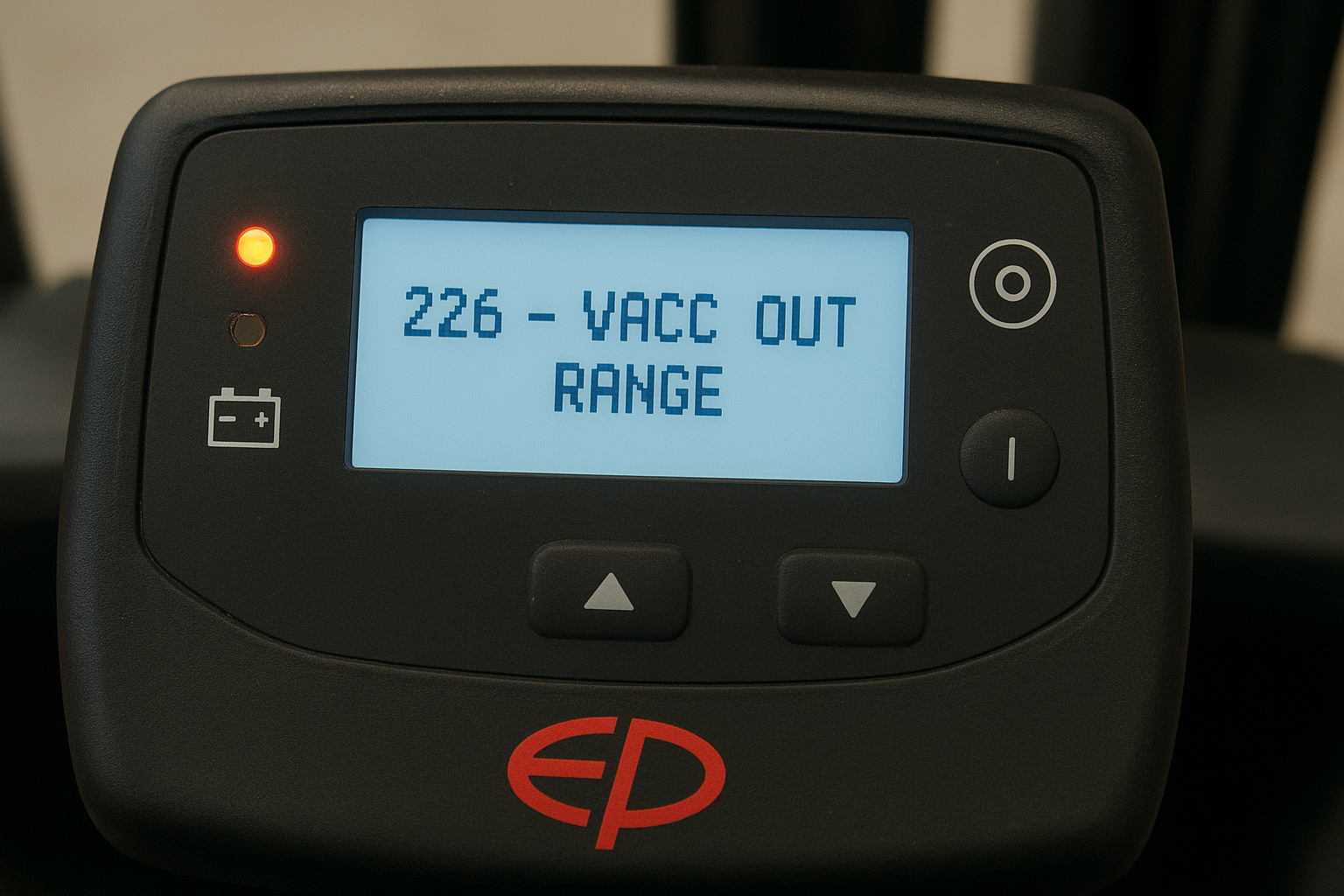
Error 226 – VACC OUT RANGE on EP Electric Forklifts
Th10
Error 226 – VACC OUT RANGE on EP Electric Forklifts: Causes and Solutions
1️⃣ Introduction
When operating an EP electric forklift, many users encounter the error message:
“226 ON Traction – VACC OUT RANGE”
This fault prevents the forklift from moving, even though other systems still work normally.
This article explains the meaning of Error 226, its common causes, and detailed troubleshooting steps to help restore stable operation.
2️⃣ What Is Error 226 – VACC OUT RANGE?
Error 226 – VACC OUT RANGE indicates that the controller (ZAPI or Curtis) detects the accelerator voltage signal is out of the normal operating range.
👉 The system automatically disables the traction (drive) function to protect the controller circuit and ensure safety.
✅ Standard accelerator voltage range:
| Accelerator position | Normal voltage |
|---|---|
| Not pressed | About 0.5V ± 0.1V |
| Fully pressed | About 4.5V ± 0.1V |
If the voltage signal is below 0.3V or above 4.7V, the controller triggers the VACC OUT RANGE fault.
3️⃣ Common Causes of Error 226 on EP Electric Forklifts
| Cause Type | Description |
|---|---|
| ⚙️ Faulty accelerator sensor | The Hall sensor inside the accelerator pedal is malfunctioning or out of calibration. |
| 🔌 Broken or grounded signal wire | Signal wires between the pedal and controller are cut, corroded, or shorted. |
| 🔋 Unstable 5V power supply | The controller fails to provide a stable 5V reference voltage to the sensor. |
| 🧠 Controller malfunction | The signal input circuit on the controller board is damaged or needs reprogramming. |
4️⃣ Step-by-Step Troubleshooting Guide
✅ Step 1: Check the accelerator sensor
-
Turn off the key switch.
-
Open the cover under the pedal and locate the accelerator sensor assembly.
-
Disconnect the connector and measure the voltage at the 3 main pins when the key is ON.
| Pin | Function | Normal Value |
|---|---|---|
| 1 | +5V from controller | 4.8V – 5.0V |
| 2 | Ground (GND) | 0V |
| 3 | Signal output (VACC) | 0.5V – 4.5V |
If the output voltage is outside this range → replace the accelerator sensor.
✅ Step 2: Inspect signal wires and connectors
-
Clean dust, oil, and moisture from connectors.
-
Tighten and reseat all plugs.
-
Use a multimeter to test wire continuity between the pedal and controller.
✅ Step 3: Check power supply and controller
-
Verify the 5V reference voltage from the controller is stable.
-
If voltage or signal is missing → controller hardware may be faulty.
✅ Step 4: Replace or calibrate components
-
If the sensor is faulty → replace it with a genuine EP accelerator (Part No. ACC-PEDAL-EP).
-
If the controller is faulty → contact an EP technician to repair or reprogram it.
5️⃣ Quick Tips When Facing VACC OUT RANGE Error
Sometimes, this error appears temporarily if the key switch is turned ON before the accelerator pedal returns to the idle position.
➡ Simply turn OFF the key, release the pedal completely, and turn ON again.
If the error persists → check the hardware and signal circuit.
6️⃣ Conclusion
Error 226 – VACC OUT RANGE on EP electric forklifts is related to the accelerator signal circuit. It is commonly caused by a faulty sensor or damaged signal wire.
Proper diagnosis and repair will restore normal operation, ensuring performance and safety.